PowerSkate Online Registration – User Guide
This step-by-step guide will walk you through registering for the PowerSkate program online, adding participants, and completing all required fees and options. Home :: Home :: Delburne Skating Club powered by Uplifter
Step 1: Start Registration
1. Click “Register Here” or the Registration button on the website.
2. Find the PowerSkate program.
3. Click Register.
Step 2: Create or Log In to Your Account
- A message will pop up asking you to create an account (if you do not already have one).
- Follow the on-screen steps to create your account.
✅ One account can manage multiple participants (e.g., siblings).
Step 3: Add Participant(s)
1. After creating/logging into your account, click Add Participant.
2. Enter the participant’s information.
3. You may add multiple participants under the same account if needed.
Step 4: Add Participant to PowerSkate Program
- Add the participant to the PowerSkate program.
- A message will pop up stating the item has been added to your cart
Click View Cart.
Step 5: Winter Fundraising
- Winter Fundraising is NOT required for PowerSkate participants.
Step 6: Select a Volunteer Session (Kitchen Shift)
- You will be prompted to Select a Volunteer Session. These volunteer sessions are kitchen shifts.
- ONE kitchen shift is required per participant OR $30 Opt Out Fee per participant.
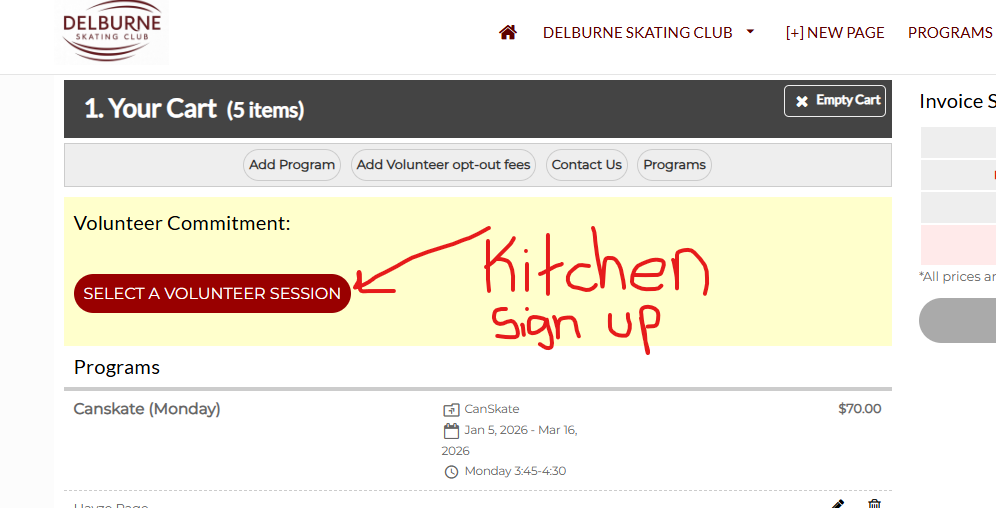
To Opt Out of Kitchen Shifts:
1. Click Add Volunteer Position.
2. Add the $30 Kitchen Shift Opt-Out Fee to your cart.
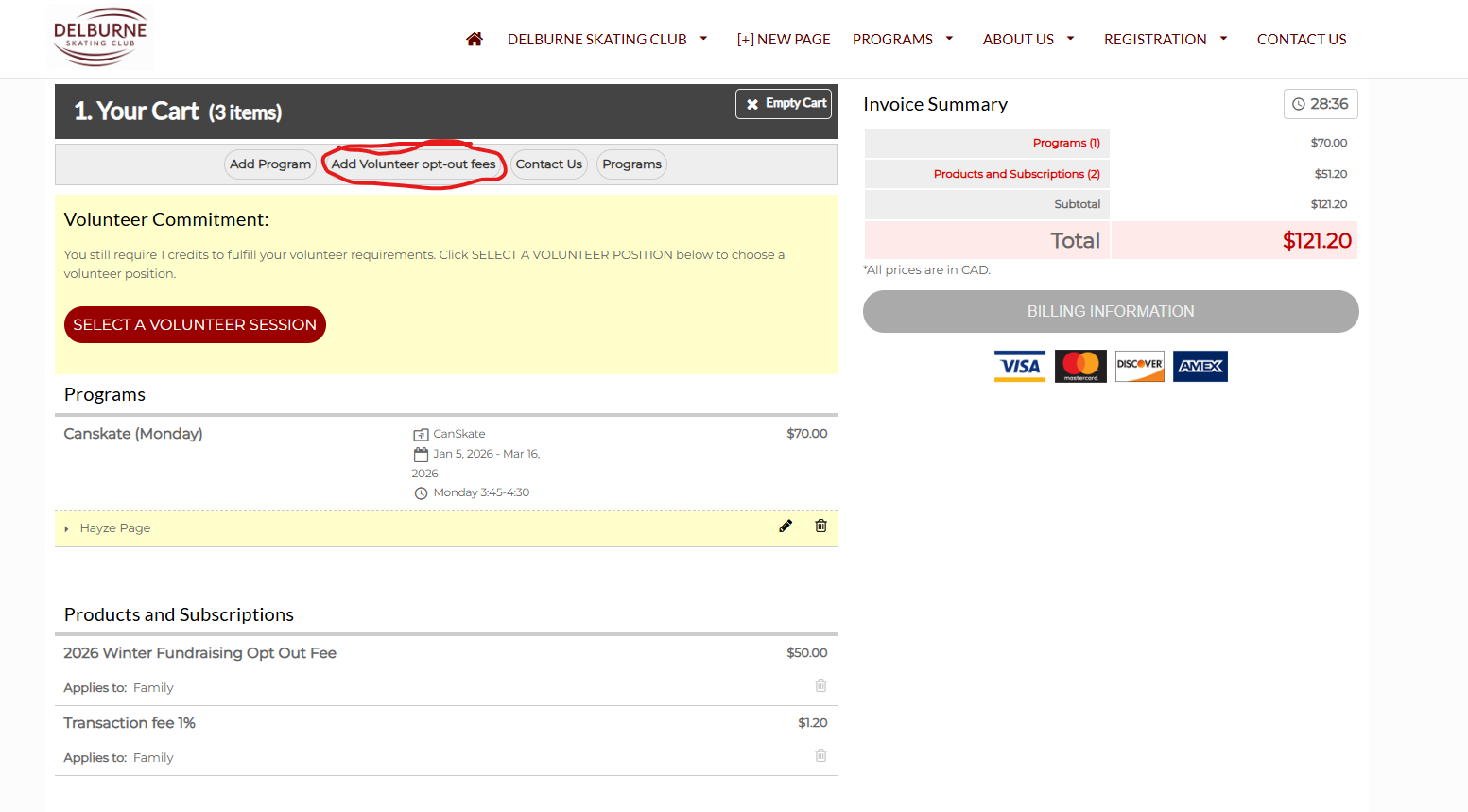
Step 7: Skate Canada Membership Fee
If you have NOT registered for Skate Canada in Fall 2025:
1.  Click Add Volunteer Opt-Out Fee.
2. Add the Skate Canada Fee to your cart.
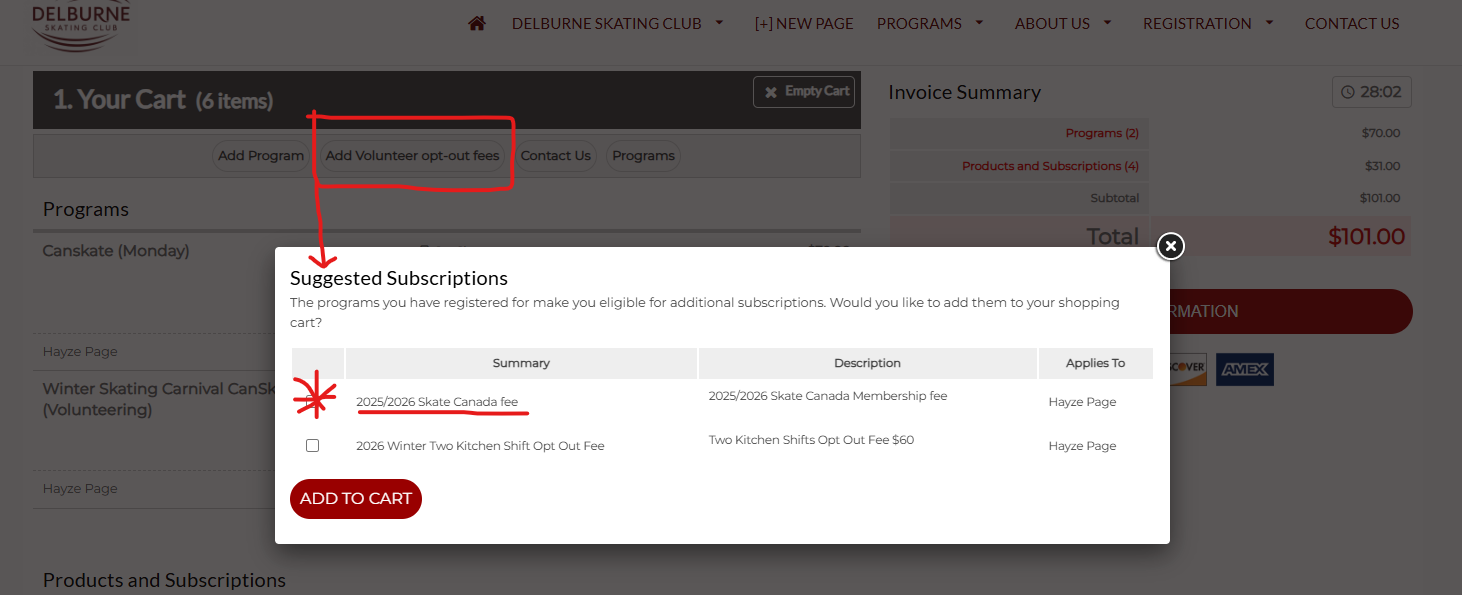
If you already paid the Skate Canada Fee in Fall 2025:
- Do NOT add the Skate Canada fee again.
ℹ️ Skate Canada membership runs from September 1 to August 31 and remains valid for this period.
Step 8: Add Additional Programs or Participants (Optional)
You may add:
- Additional programs for the same participant
- Programs for multiple participants (e.g., siblings)
Use Add Program as needed.
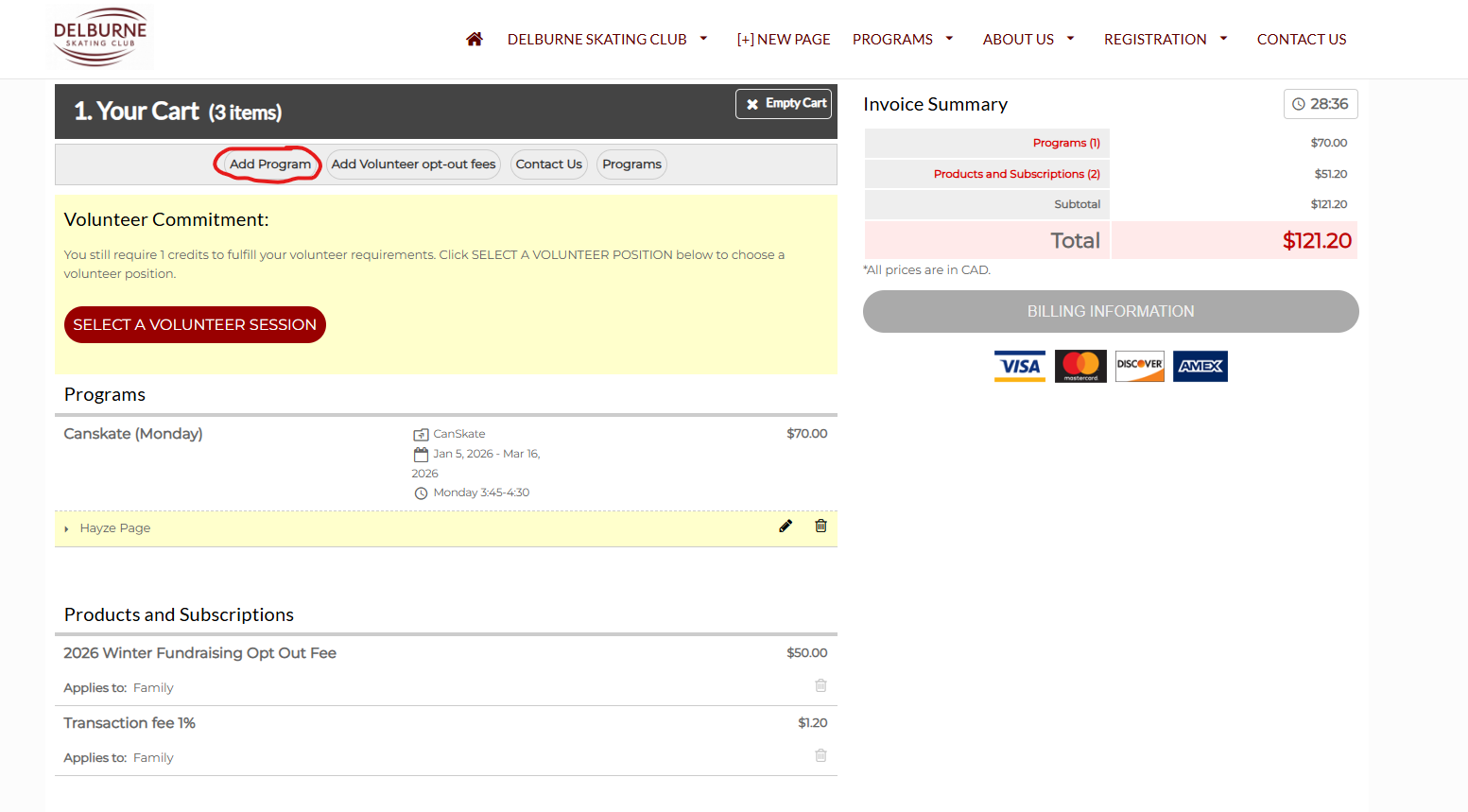
Step 9: Review and Checkout
1. Review your cart carefully:
o PowerSkate registration
o One Kitchen shift or $30 opt-out fee (per skater)
o Skate Canada fee (if required)
2. Proceed to Checkout to complete your registration.
If you experience any issues during registration, please contact the club at skatedelburne@gmail.com for assistance.