
CanSkate Online Registration – User Guide
This step-by-step guide will walk you through registering for the CanSkate program online, adding participants, and completing all required fees and options. Home :: Home :: Delburne Skating Club powered by Uplifter
Step 1: Start Registration
1. Click “Register Here” or the Registration button on the website.
2. Find the CanSkate program.
3. Click Register.
Step 2: Create or Log In to Your Account
- A message will pop up asking you to create an account (if you do not already have one).
- Follow the on-screen steps to create your account.
✅ One account can manage multiple participants (e.g., siblings).
Step 3: Add Participant(s)
1. After creating/logging into your account, click Add Participant.
2. Enter the participant’s information.
3. You may add multiple participants under the same account if needed.
Step 4: Add Participant to CanSkate Program
- Add the participant to the CanSkate program.
- A message will pop up stating the item has been added to your cart, but additional enrollment steps are required.
Click View Cart.
🔹 Optional: From the cart, you may click Add Program to add a second CanSkate day if you wish to skate two days per week.
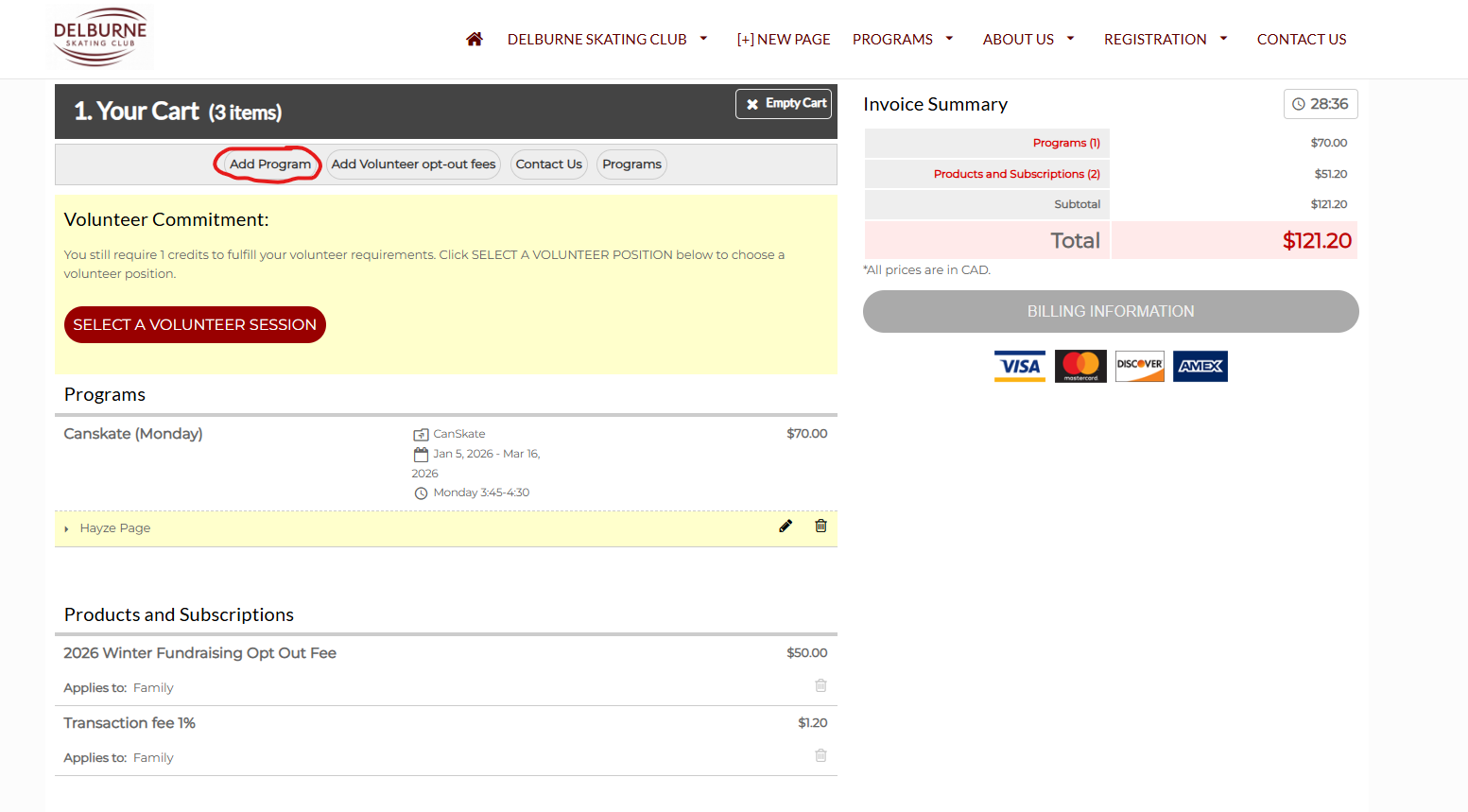
Step 5: Add Additional Programs or Participants (Optional)
- You may add:
- Additional programs for the same participant (e.g., skating twice per week)
- Programs for multiple participants (e.g., siblings in different programs)
Use Add Program as needed.
Step 9: Review and Checkout
1. Review your cart carefully:
- CanSkate registration
- Additional Programs and/or participants
2. Proceed to Checkout to complete your registration.
If you experience any issues during registration, please contact the club at skatedelburne@gmail.com for assistance.